Eploy AI Interviews
Connect Eploy in minutes and start interviewing today. No onboarding project, no development work.

How it runs inside Eploy
Candidates, applications and stages are synchronized from Eploy to JobMojito
Explore the platform

Interview experience
A natural, free-flowing conversation with the realtime AI agent. The avatar adapts to each candidate's answers and keeps the pace.
See the candidate experience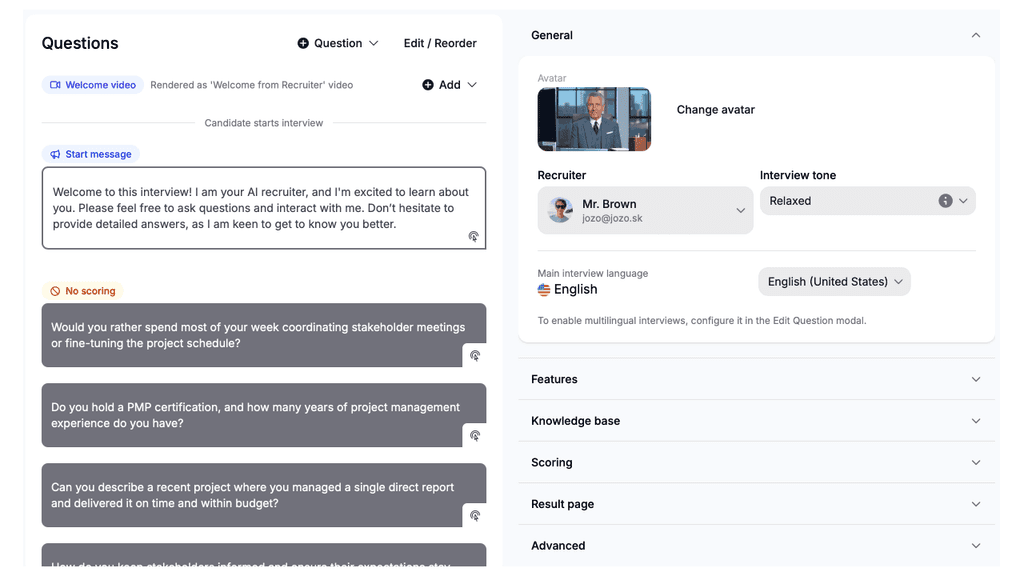
Interview creator
Build custom AI interviews in minutes. Start from a job description, your ATS, a template or from scratch, then pick interview type, question types and per-question configuration.
Open the interview creator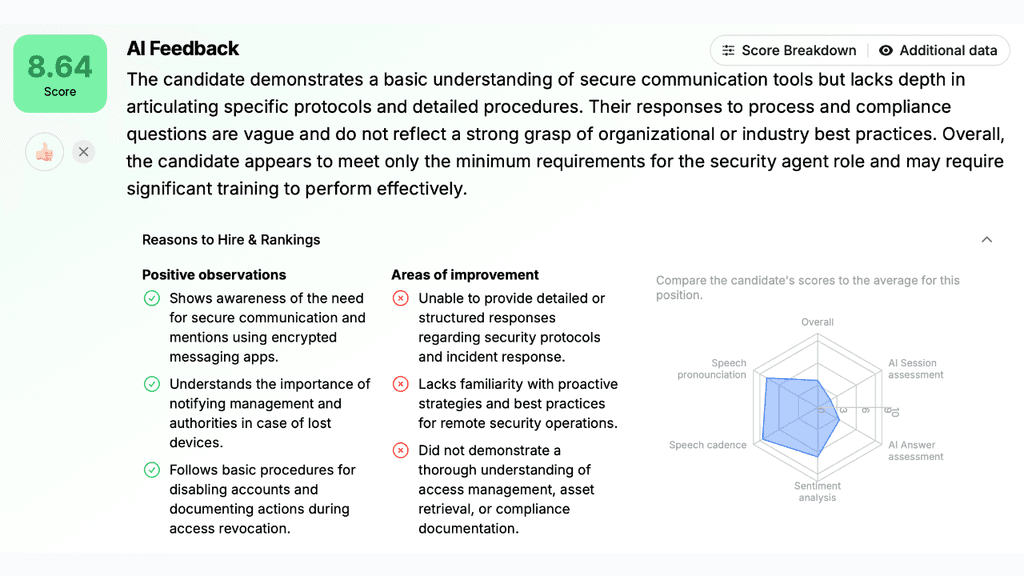
Evaluation & Scoring
Rubric-based scoring that you control. Each candidate gets a transparent, explainable score against your criteria.
See evaluation & scoringInside the Eploy integration
Read jobs and candidates, push interviews and results back. Permissions are scoped at setup.


- Users
- Jobs
- Candidates
- +5
- +2
- Create candidate
- Create application
- Move application to stage
- +4
- +1




















The conversation is only 10% of an AI interview
Candidates interrupt, pause and talk over the question. Barge in, silence, filler and accents are handled without losing the thread.
Questions about Eploy
Can I restrict what the integration accesses?
Yes. You choose the scope at setup, can disable specific objects or write actions, and change it later.
Which languages can interviews from Eploy run in?
Any of 32 languages. Candidates interview in their language while results stay on your Eploy record.
How do I get started with the Eploy integration?
Sign in, connect Eploy from the integrations screen, choose the scope, and you are ready.
Run your first AI interview in Eploy today
Get startedTake the interview yourself
See exactly what candidates experience.